
Quick answer
Tungsten TotalAgility jobs get stuck or suspended for one of five reasons: a stopped or starved Core Worker service, activities erroring and suspending their jobs, an unavailable or backed-up transformation server, exhausted or expired licensing, or pressure on the TotalAgility databases. Start in two places — the Core Worker service, and the suspend reason on one affected job.
Documents arrive, forms are submitted, capture runs — and then the process stops moving. Jobs sit in the queue, activities never complete, and the suspended count climbs. In an Intelligent Document Processing (IDP) pipeline running invoices, claims, or onboarding on TotalAgility, stuck jobs are a production outage on a delay: the business finds out when the output doesn’t show up downstream.
Tungsten’s own documentation covers the pieces — the Core Worker Service, suspending and working with jobs — but not the triage order. Here it is: five causes ranked by likelihood, with the fix for each, complete on this page. (The full catalog of Tungsten Automation health checks and tests is published here, ungated.)
01 — The Causes
Why do TotalAgility jobs get stuck or suspended? Five causes, ranked by likelihood
Match the symptom, then jump to the fix.
| # | Cause | The signature | The fix, in short |
|---|---|---|---|
| 1 | Core Worker service stopped or starved | Nothing background processes; queued jobs sit untouched farm-wide; thread pool full, no tasks being taken | Restore the service; rebalance the load that starved it |
| 2 | Activities erroring — jobs suspend | Suspended count climbs; each job records a suspend reason pointing at one activity | Fix the failing activity, then retry the jobs |
| 3 | Transformation server unavailable or backed up | Capture, classification, and extraction activities queue while everything else moves | Restore the transformation server; let the backlog drain |
| 4 | Licensing exhausted or expired | Services all “running,” nothing processing; license service errors in the logs | Check volume, station use, and expiration; restore headroom |
| 5 | Database pressure | Timeouts and “random” suspensions under load; TA, Documents, or Reporting databases slow | Fix the database, not the jobs |
Cause 1 stops everything; cause 2 stops one process at a time. The Core Worker is TotalAgility’s background engine — when it’s down or its thread pool is saturated, queued work farm-wide simply waits, with nothing red anywhere. A suspended job is the opposite: TotalAgility telling you precisely where it hurts. The job hit an error in an automatic activity — a script fault, an integration call that failed, an export target that went away — and recorded why. The suspend reason is the diagnosis. Read it before you touch anything.
Cause 4 is the quiet one — the same failure shape we found in ABBYY FlexiCapture estates: every Windows service healthy, zero throughput, because every processing action checks a license that has run out of pages, stations, or days. Capture platforms fail through their license servers more often than through their code.
02 — The Fix
How do you get a stuck TotalAgility job moving again? The repair sequence
In order. Retrying suspended jobs before fixing the cause just re-suspends them.
-
Read one suspended job’s reason
Open an affected job and read why it suspended. If the reasons cluster on one activity — a script, an integration, an export — you have cause 2 and a named culprit. If jobs aren’t suspending but simply aren’t moving, you’re looking at causes 1, 3, or 4.
-
Check the Core Worker before anything else “running”
Confirm the Core Worker service is up on every TA server — and actually taking work, not just present in the services list. A saturated thread pool processes nothing while reporting healthy. Check the TA Windows error log for service faults at the time jobs stopped moving.
-
Verify the transformation tier and the license service
Confirm transformation servers are reachable and their queues are draining — classification and extraction stall behind a dead transformation tier while plain workflow keeps moving, which misdirects the triage. Then check licensing: volume remaining, station use, expiration, and that the license service itself responds.
-
Fix the failing activity, then retry the jobs
Restore the integration endpoint, correct the script, or bring back the export target the suspend reasons named. Only then retry the suspended jobs — in batches, oldest first, confirming the first few complete before releasing the rest.
-
If suspensions look random: check the databases
Timeouts against the TotalAgility, Documents, or Reporting databases surface as scattered suspensions with no common activity. Check database sizes, backups, and blocking at the times jobs failed — and confirm locked activities released after any service crash, so recovered jobs aren’t still holding each other up.
03 — Prevention
How do you keep TotalAgility jobs from suspending again?
Every one of the five broadcasts itself before the queue notices.
Thread pools fill before processing stops. Suspended counts climb before the business calls. License volume runs down before it runs out. The failure repeats in most TotalAgility estates because nobody watches those signals between incidents — and with TotalAgility freshly named a Leader in the 2026 Gartner Magic Quadrant for Intelligent Document Processing, more estates are going to be running more of the business through exactly this engine.
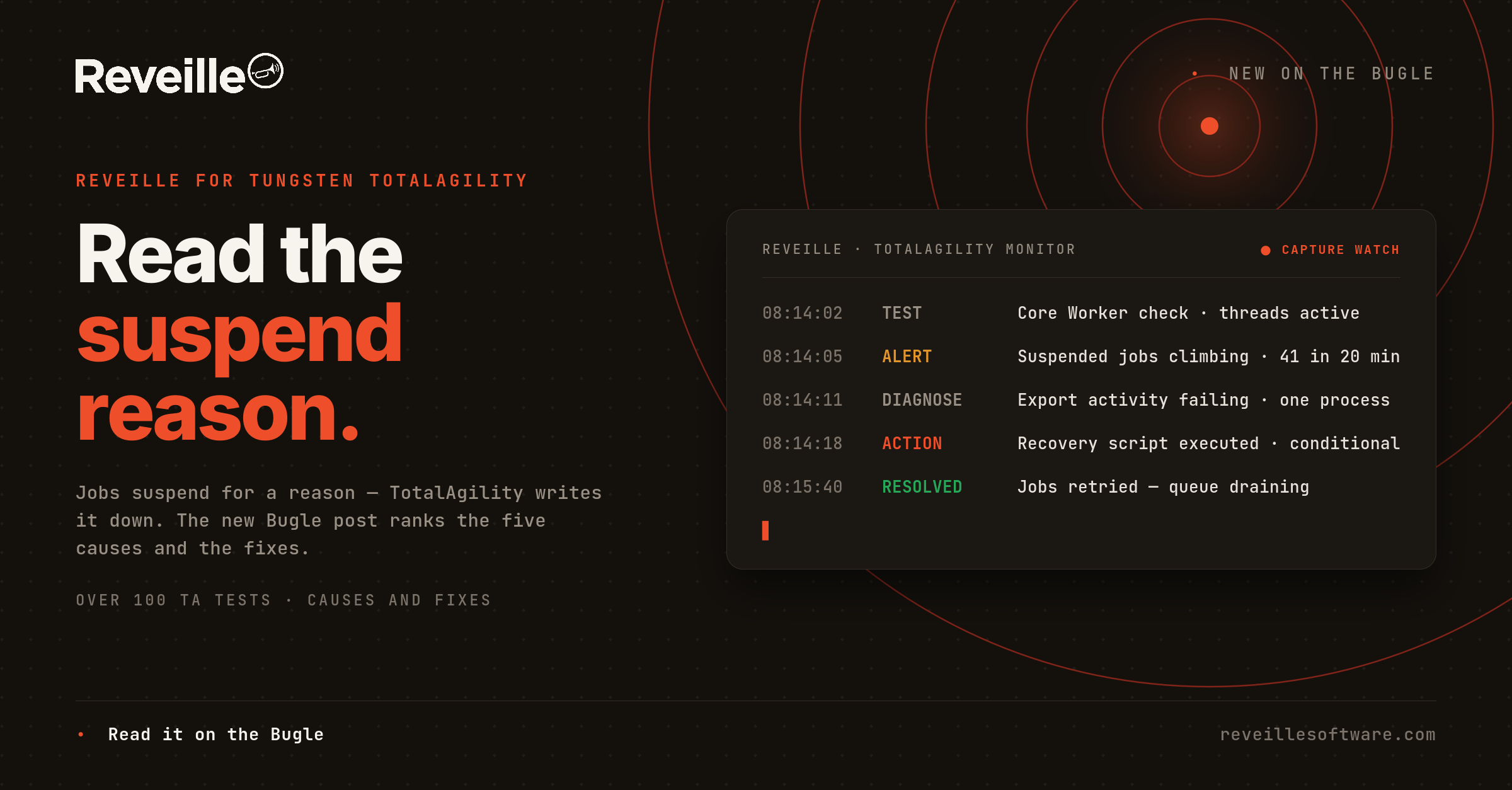
Reveille for Tungsten Automation ships over 100 pre-built, out-of-the-box tests, and the ones for this exact chain are pre-configured: TA Job Processing; TA Core Worker checks for Worker Tasks Taken, Threads Active, Items in Thread Pool, System Tasks Taken, and Locked Activities; TA Services and TA Windows Error Log checks; TA License Service response plus TA Volume Licensing, TA Station Licensing, and TA License Expiration; transformation server connectivity; and the TA, Documents, and Reporting database checks. When a threshold trips, Reveille’s conditionally triggered proactive capabilities can execute PowerShell-based recovery scripts — so step two of the sequence above runs before the queue notices.
Reveille for Tungsten Automation
Agentless tests for the Core Worker, jobs, licensing, transformation tier, and databases — with over 180 dashboard metrics for capture service levels. The full catalog is linked above, ungated.
Supporting client estates as an MSP, SI, or ISV? That’s what Reveille SENTRY is built for — multi-tenant observability for the estates you manage.
Take it with you
Fighting a stuck queue this week?
Enter your business email and the Reveille for Tungsten Automation Technical Overview opens as a PDF — over 100 pre-built tests organized by product, including every Core Worker, job, licensing, and transformation check on this page.
The fixes are all on this page. The PDF is the complete Tungsten Automation test reference.
Frequently asked questions