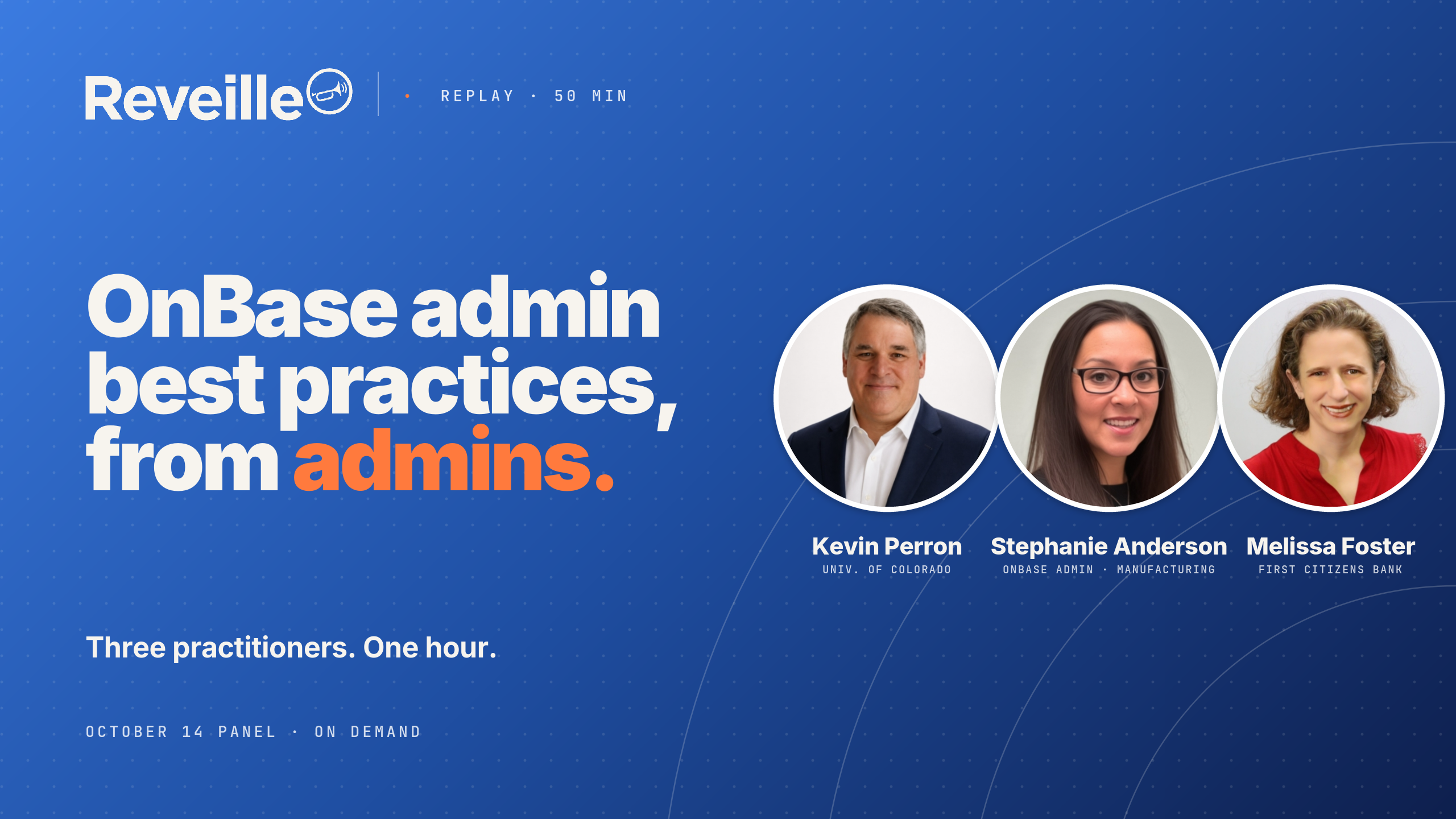

A recap of the Reveille-hosted OnBase administration panel with Stephanie Anderson, Kevin Perron, and Melissa Foster, moderated by Wayne Ford, now available on demand.
On October 14 we put three OnBase administrators on a call and let Wayne Ford ask them questions for an hour. Stephanie Anderson manages the OnBase operations team at a manufacturer. Kevin Perron runs OnBase at the University of Colorado and has been working in OnBase since 1999. Melissa Foster runs OnBase and content services at First Citizens Bank. Wayne and I had heard all three on panels at Hyland CommunityLIVE and wanted to get that conversation in front of people who weren’t in the room.
Wayne said up front it wasn’t going to be a Reveille commercial, and it wasn’t. Stephanie is a Reveille customer and talked about how she uses it. Kevin and Melissa built their own monitoring and talked about that. Here’s what we covered.
Format
PanelLive on Teams, with Q&A
Panelists
Stephanie AndersonOnBase Admin · ManufacturingKevin PerronUniversity of ColoradoMelissa FosterFirst Citizens Bank
Moderator
Wayne FordChief Revenue Officer, Reveille
Replay
On demand55 min · recorded Oct 14, 2026
01 06:54
100% said business critical. Then the job changes.
We opened with two polls. First, one word for what takes up most of your time as an OnBase admin. The two biggest words in the cloud were users and monitoring. Second, do you consider your OnBase to be business critical. Twenty-five responses, all yes.
Live poll
Do you consider your OnBase to be business critical?
Live attendees, Oct 14, 2026. n=25.
Wayne’s first question was what changes when the system goes from important to business critical. Stephanie said it comes down to stability, insight into the health of the system, and acting before a user does. “I can no longer rely on a support ticket to come through to let me know that one of my critical processes is down.” If the application server is crashing, she wants to be the one putting up the splash page, not the one reading about it in a ticket.
Melissa said there are levels of mission critical. In healthcare, someone’s life is on the line if an EKG result can’t be viewed in the patient’s chart. In banking, people feel their money is mission critical, “but I think it’s less than dying.” At any level, your ability to make changes is severely reduced. “I never want to be in the news because of something I misconfigured.”
Kevin said a lot of admins aren’t ready for it. A departmental implementation grows until it’s running critical parts of the business, “and they didn’t know what they didn’t know.” That’s the step-back moment: do I have failover, or do I have to re-architect for what I’m responsible for now.
02 12:10
Governance around configuration is foundational to your ability to monitor
Wayne asked
What governance practices or policies do you put in place so you don’t suffer from configuration drift over time?
Kevin runs 700 active workflows. His team has naming conventions and monitors that they’re followed. When something breaks, and he said when, not if, you have to be able to tell which workflow and which queue you’re looking at. A workflow timer firing continuously through queues nobody can identify is a firefight you shouldn’t be having.
Melissa’s example was from that morning. A team was querying on a keyword that stores a source system’s identifier, sending six digits, and assuming they were unique. “You’re unique within your application. You are not unique across my whole enterprise.” Running an enterprise system means anticipating the problem six months or six years out.
Does it change in a regulated industry? Melissa: garbage in, garbage out, regulated or not. Regulation raises the fines. It doesn’t change the practice.
Clip · Melissa Foster
“When your AI bot gives you garbage, that’s because your ins were garbage.”— Melissa Foster, First Citizens Bank · 17:28 in the replay
Stephanie’s team counted 700 import processes one day and 702 the next with no record of where the two came from. They rolled out process documentation standards and built their own change log.
Kevin’s summary is the clip I’d send to anyone who thinks monitoring is the starting point.
Clip · Kevin Perron
“The governance around configuration is foundational to your ability to monitor what’s built and running in the system. If you don’t start from a position of controlling what’s built and how it’s built, you have a very low chance of successfully monitoring what is and isn’t working.”— Kevin Perron, University of Colorado · 19:39 in the replay
03 21:20
“Prior to about March, everything was reactive.”
Wayne asked
What signals do you keep an eye on so you can resolve an issue before your users come banging on the door?
Stephanie said that before March of this year it was all reactive. A user puts in a ticket, the team goes and figures it out. Hyland managed services watched some things, but not 24/7. With a large conversion coming that will multiply what’s in her system, that wasn’t going to hold. That’s when they bought Reveille.
What she monitors now: about 30 production servers, every polling location, and folders where documents sit longer than they should, which is the signal a service is hung. She’s building a decision tree so the restart happens automatically instead of alerting her. She also gets alerted when a sending system hasn’t delivered files, “because we’re still going to get the blame.”
Clip · Stephanie Anderson
“As soon as we turned Reveille on, we found a multitude of issues that we were 100% unaware of.”— Stephanie Anderson, OnBase Admin · Manufacturing · 22:11 in the replay
04 25:22
The service is running. It’s not doing anything.
Wayne asked how they avoid alert fatigue.
Kevin has over 500 monitors, classified by severity. Informational ones, like a naming convention violation, notify once and produce a list that department admins use to clean up before migrating. Urgent ones are services down and workflow timers delayed. With 60 to 70 timer services, a delayed timer means the service is running but not doing anything, and documents aren’t coming in. “We don’t necessarily know that unless we know this should have kicked off at this time and it hasn’t.”
Melissa monitors import directories against her timer schedule. For documents aging in workflow queues she escalates in stages: the user for the first seven days, the whole user group for the next 14, and at 21 days the admin team and management. Those monitors open ServiceNow tickets automatically so first-level triage picks them up instead of the admins watching an inbox. Kevin’s point on all of it: “There’s a ticket created somewhere that has the information. That’s critical.”
A cloud OnBase customer asked in chat about recognizing hung processes in a hosted environment. Kevin said it’s hard to do what his team does if you’re hosted, but the data exists: expected and next runtime for timers, DIP, and COLD are all in the database, and the queries are standard. The hurdle is access.
05 37:20
The most common mistake, in one word: Document.
Wayne asked what the most common administration mistake is, the one that creates the most downstream work. Stephanie answered before he finished: “Document.” Kevin: “Documentation.”
Then Stephanie told the story from that morning. Users in one region kept requesting access to a group of documents. Access was granted, tickets closed, and they still didn’t have it. She took the ticket herself, added every user by hand, and logged in the next day to a long email from a regional manager. The users were gone from the group again. Someone had renamed the user group in OnBase so it no longer matched the IDP config, and every login removed them. Her new change log hasn’t surfaced who changed it yet.
An attendee asked what each panelist uses for change logging. Stephanie: a WorkView application one of her developers built, with full-text search over it. Kevin: reporting dashboards tied to monitoring, plus a database-level compare across all four environments, so he can see whether production matches test. Melissa: every production change goes through approval with step-by-step documentation, SQL validation of QA against production, and Studio compare for workflow. She wishes it compared properties and user groups better. “It’s really hard to sort through a 1,600-page document.”
06 46:48
“You’re not an island.”
Wayne’s last question was about the ecosystem around OnBase: database, infrastructure, Windows, integrations.
Kevin: where they can take control of the monitoring, they do. They’re an Oracle shop that depends on materialized views, so they alert if those aren’t refreshing. Fifty-seven servers, full access, API integrations monitored too. “When you’re enterprise, that means you’re integrated, you’re connected and depending on other systems. So it all has to be orchestrated.”
Stephanie doesn’t worry about the database; her DBAs find problems before she does. The Windows team is a different story, and she described reading them the riot act for ignoring alerts. Reveille now watches that server infrastructure for her. On one custom API server that hogs memory, it restarts IIS. On a custom mailbox importer that writes to the event log every second, it kills and restarts the service if the log goes quiet for five seconds. “I couldn’t tell you the last time we got a call because emails weren’t coming into OnBase. Before, it used to happen all the time.”
Melissa’s answer to the same question was four words: “Know what you’re changing.” Put it next to “Document” and you have the two habits every story in the session came back to.
If you do one thing
Document what’s built. Know what you’re changing. Then monitor it. The panel was clear that the monitoring only works if the first two are in place.
From the session: quick answers
What changes when an OnBase environment becomes business critical?
How do OnBase administrators prevent configuration drift?
How do you detect a hung OnBase process?
How do OnBase teams avoid alert fatigue?
Wayne had a half dozen more questions he didn’t get to, and the panel is up for a second session. If there’s a topic you want these three to take on, reply to the replay email. If you want to see the OnBase monitoring Stephanie described, start with the Reveille for OnBase technical overview.
Ryan Shallenberger is Director of Corporate & Partner Marketing at Reveille Software and hosted the session. Reveille pioneered Content Observability for the ECM, IDP, and automation platforms the business runs on.