Add a Corporate Key and License Code
To add your Corporate Key and License Code complete the following steps:
- Navigate to the Reveille User Analytics User Console using this URL: http://<reveille_server>/reveilleuseranalytics/default.aspx. Or, double-click the desktop icon.
- Select Administration > Licensing. The License Settings window appears.
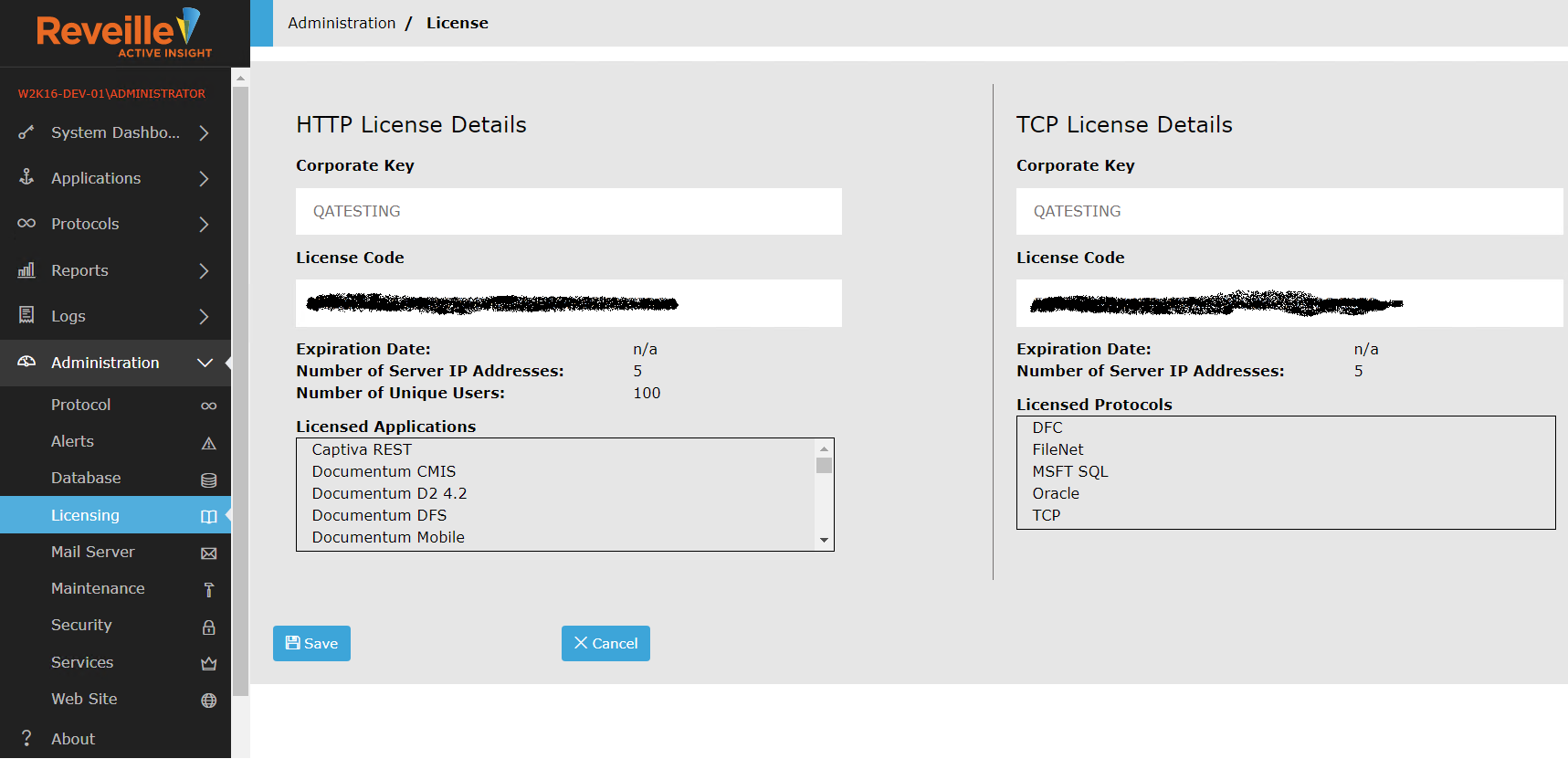
- Enter your Corporate Key and License Code obtained from Reveille Technical Support, and click Save.
TipIt is recommended that you cut and paste the Corporate Key and License Code from the Reveille Software license code e-mail.
Was this helpful?
Please tell us why:
Thank you.