Using the UNIX® Wizard
The UNIX wizard helps you add Resources and Tests to a Monitor that tests the operational health of UNIX application environments.
To use the UNIX wizard:
- From the Add Monitor Tests Using Wizard dialog, select UNIX Wizard, and click OK. The UNIX Wizard window appears.
- Enter the UNIX server hostname, and, optionally, the telnet port (default 23) or SSH port (default 22)
- Select the protocol type:
- AUTO. Protocol type detected on login, default.
- SSH2. Secure Shell version 2.
- SSH1. Secure Shell version 1.
- Telnet. Telnet.
- Select the number of columns per terminal line. The default is 200 columns.
- If using SSH authentication with key exchange, select Authenticate using private key, and select the private key file.
- Use the current default credentials or select other credentials to login to the UNIX server.
- Click Next and the UNIX wizard will verify UNIX authentication.
Note: Reset will reset all selections to the default values
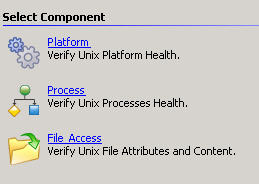
Select a component on the image below to see the Help topic for that component.
Was this helpful?
Please tell us why:
Thank you.